It is the last week of the month. Three reconciliations have not been started, one account is off by an amount nobody can explain, the supervisor has forty transactions to review by Friday, and a client still has not answered last month's questions. Somehow, the month will be called closed anyway.
Month-end does not have to work like that. The scramble is not caused by a lack of effort. It is caused by a close process that has no gates: nothing stops a period from being marked done before it is actually done. This post looks at where the scramble comes from and how ZiePieBooks makes the close a routine checkpoint instead.
Key Takeaways:
- The scramble comes from work that piles up silently during the month and surfaces all at once at the end.
- A close without gates lets periods be marked closed with open reconciliations and unanswered questions.
- In ZiePieBooks, every account is reconciled against its statement, or waived with a reason, before the month can move forward.
- The period board lists every task for the month and says plainly why it cannot lock yet.
- Locked periods stay locked. Reopening is a separate, logged permission, and clients sign off each month by name.
Where the Month-End Scramble Comes From
Most month-end pain is created during the month, not at the end of it. Three patterns show up again and again.
1. Reconciliation is treated as the last step
Reconciliation is the step that proves the books match the bank. When it is left until the final days, every problem it uncovers lands at the worst possible time. A missing transaction from the second week of the month becomes a Friday-night investigation.
2. Nobody can see what is blocking the close
A month cannot close until uploads are processed, rows categorized, accounts reconciled and reviews done. If those dependencies are not visible in one place, the team discovers them one at a time, usually in the last two days.
3. "Closed" is a label, not a state
In many setups, closing a month means a checkbox, a note in a tracker, or a date in a settings screen. Nothing enforces that the work is finished. Nothing stops someone editing a closed month later. So "closed" stops meaning much, and the team learns that the deadline is soft.
What a Routine Close Looks Like
A routine close has three properties. The work for the month is defined up front as tasks. The month cannot lock until those tasks are done. And once locked, it stays locked unless someone with the right permission reopens it, on the record.
How ZiePieBooks Solves It
Reconciliation gates the close
In ZiePieBooks, every bank and card account is reconciled per period against its statement before the month can lock. You enter the statement's opening and closing balances, clear the lines that match, post adjusting entries for what does not, and finish. An account that genuinely has nothing to reconcile can be waived, and the reason is kept.
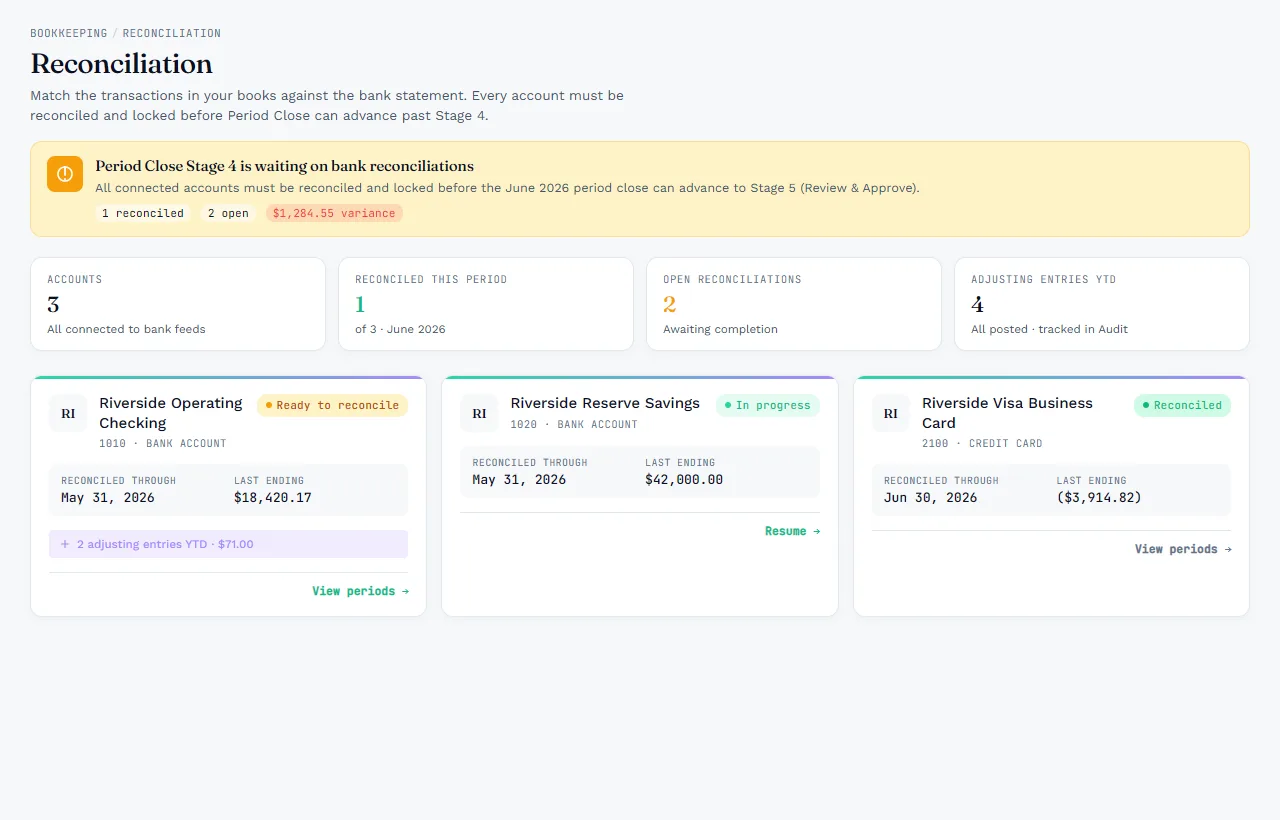
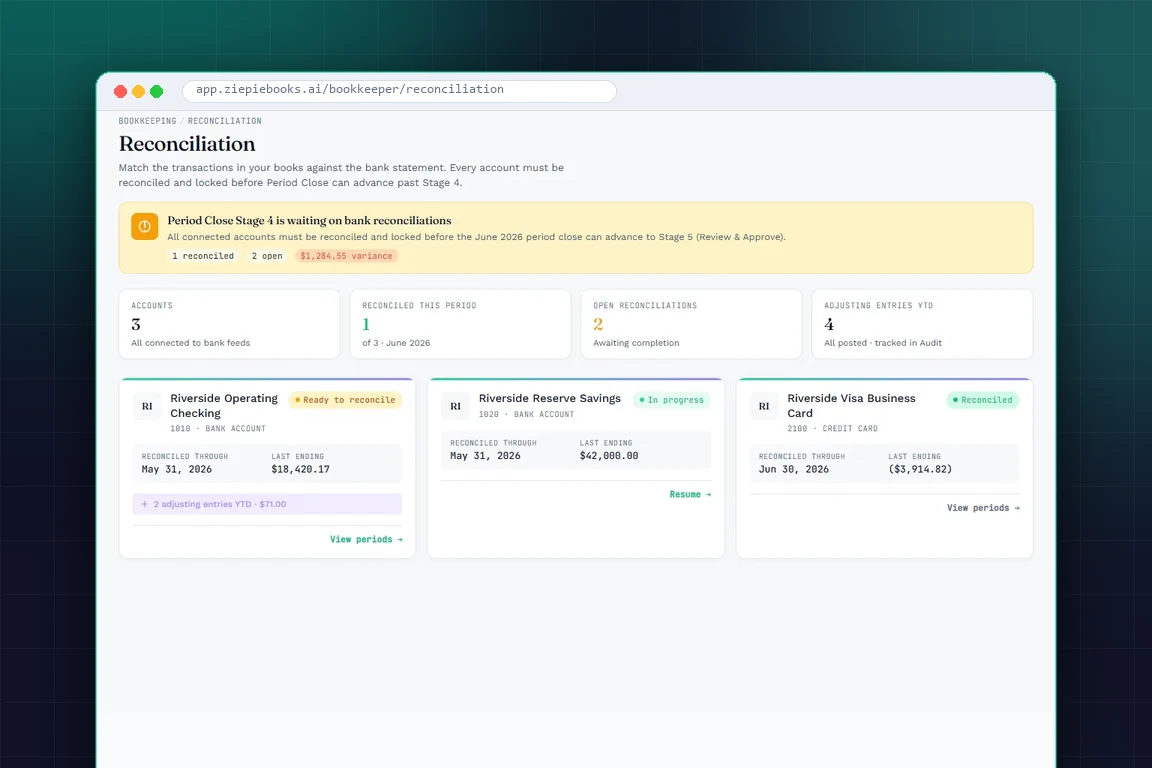
Look at the banner at the top of that screen. The June close is waiting on bank reconciliations: one reconciled, two open, and a $1,284.55 variance still to explain. Nobody has to remember to check. The close itself will not move until it is resolved.
The period board says why a month cannot lock
The workflow generates every task for the month. The period board lists them by stage, with who holds each one and what it is waiting on. Until the uploads are processed, the rows categorized, the accounts reconciled or waived, and the reviews done, the board says plainly why the month cannot lock yet. When it can, you lock it.
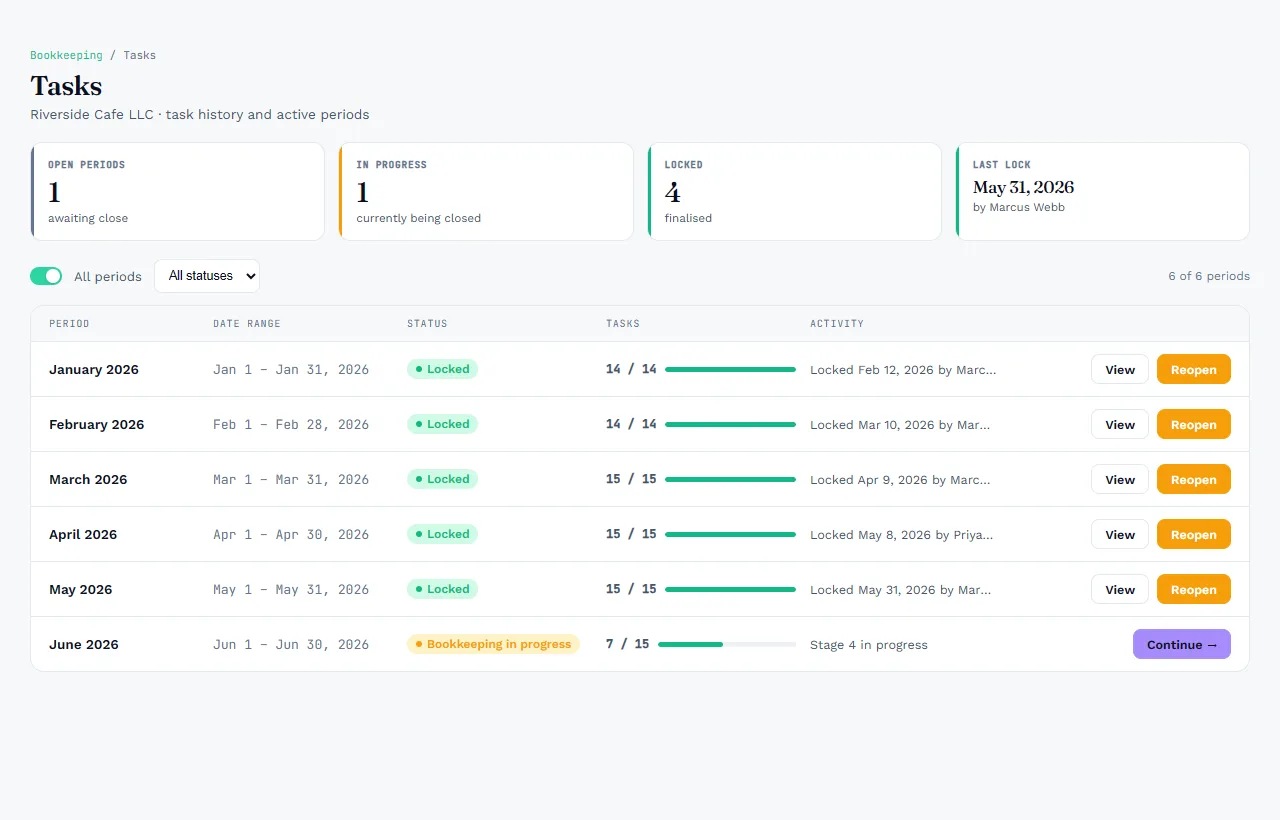
This also changes the conversation inside the firm. Instead of "is June done?", the question becomes "which of the eight remaining tasks is stuck?" That is a question with an answer.
Locked means locked
Once a month is locked, it stays that way. Reopening is a permission of its own, not something every bookkeeper can do, and every reopen is logged. That protects the numbers your firm has already reported to the client, the lender or the tax return.
The client signs off by name
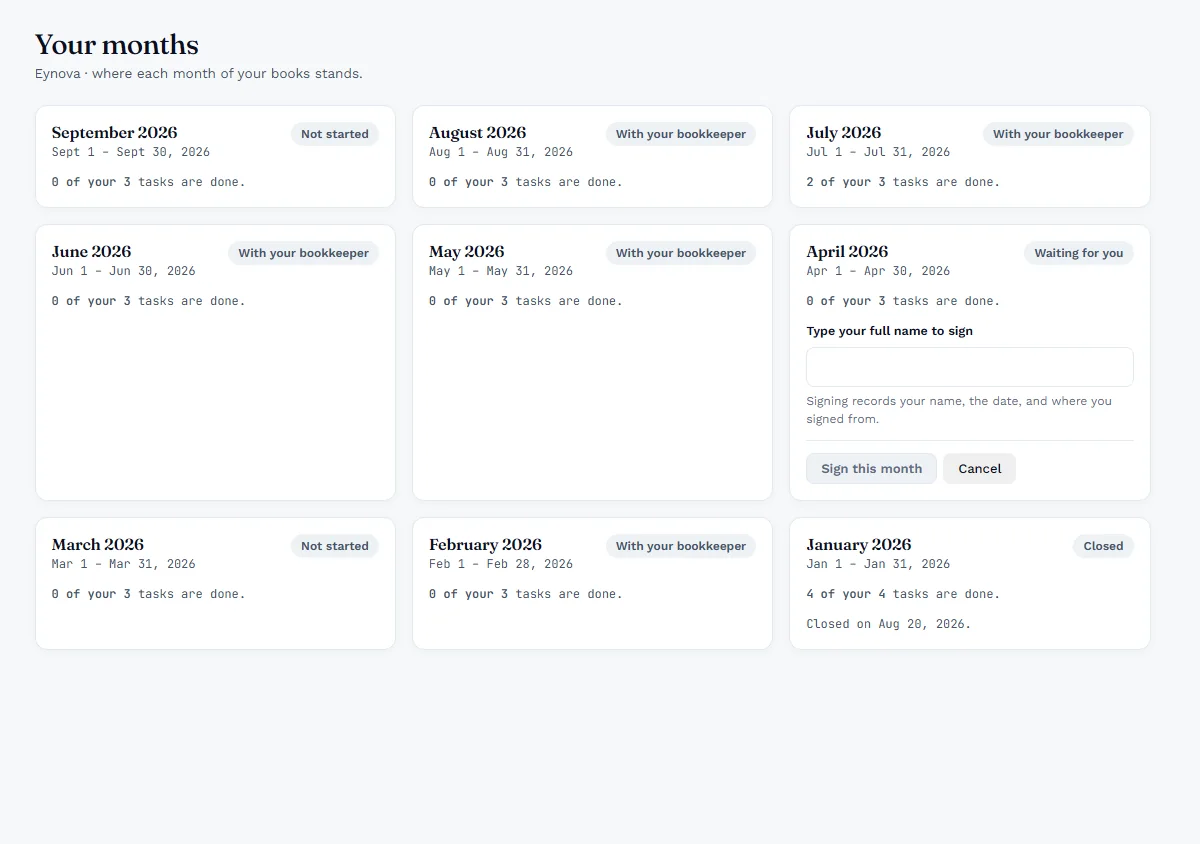
The final gate is the client. In their portal, they see where every month stands: not started, with the bookkeeper, waiting for them, or closed. When a month is ready, they review it and sign by typing their full name. The signature records the name, the date and where it was signed from.
Five Habits That End the Scramble
- Clear staging as transactions arrive. Categorized rows during the month mean reconciliation starts from clean data, and variances are small and fresh.
- Define the close as tasks. If it is not a task on the board, it will be forgotten until the last day.
- Make the lock mean something. Nobody should be able to edit a closed month without a logged reopen.
- Waive with a reason, never silently. An account with nothing to reconcile is fine. An account nobody looked at is not.
- Get client sign-off every month. It catches disagreements while they are still small and recent.
Make your next close a checkpoint, not a sprint
ZiePieBooks includes reconciliation, the period board, period lock and client sign-off on every plan. Start with a 30-day free trial. Create your free account.
Frequently Asked Questions
What has to be done before a month can close in ZiePieBooks?
+
Every task the workflow generated for the month: uploads processed, rows categorized, every bank and card account reconciled or waived with a reason, and the reviews done. Until then the period board says plainly why the month cannot lock yet.
Can a locked period be reopened?
+
Yes, but reopening is a permission of its own and it is logged. Not everyone who can work in a period can reopen a closed one, and every reopen leaves a record.
How do clients sign off on a month?
+
In their portal, the client sees each month's status. When a month is ready, they review it and sign by typing their full name. The signature records the name, the date and where it was signed from.